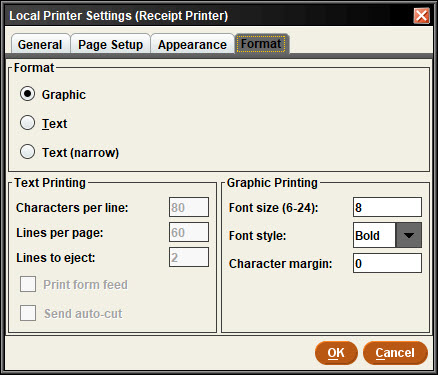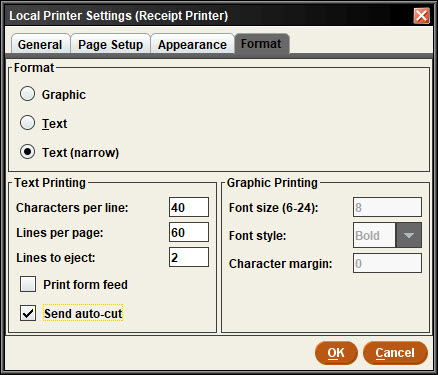
Receipt printer: Prints due slips, and receipts.
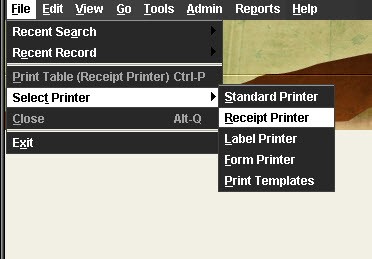
- From Sierra’s top toolbar go to File, then select Printer.
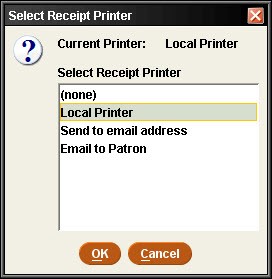
- Choose local printer. and then click “OK”.
- Select your printer from the drop-down list. In this case it is the Epson TM-T88V Receipt, which is a common model.
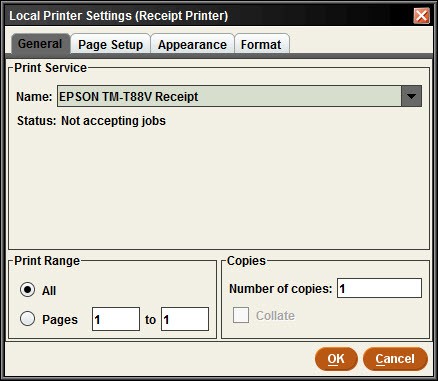
- Switch to the Format tab.
- If you use a print template, set the Format to Graphic
- Otherwise set the Format to Text(narrow)