Create a List of Online Registration Patron Records
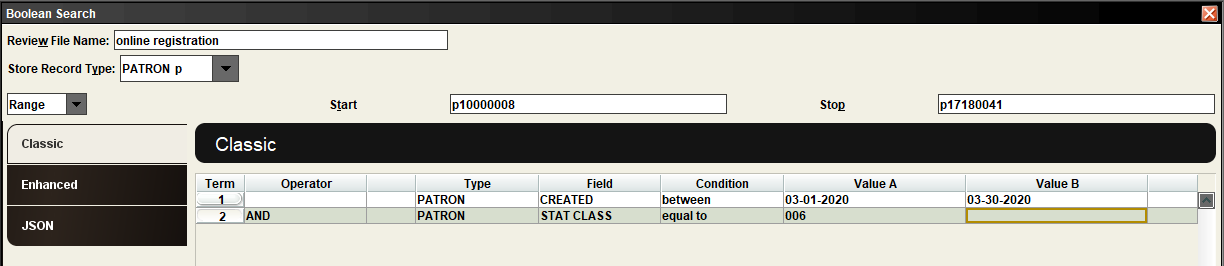
Searching for new online registrations in Create Lists:
In an empty Review File, set store record type as Patron p.
Leave the “Range” index setting in place.
Use the following search strategy:
Line 1: Type=Patron, Field=Created, Condition=Between, Value A = the start of your date range, and Value B= the end of your date range
Line 2: Type= Patron, Field = Stat Class, Condition= The stat class value assigned in your template.* *The number assigned uses a 0 in place of the asterisk in the terminal number.