
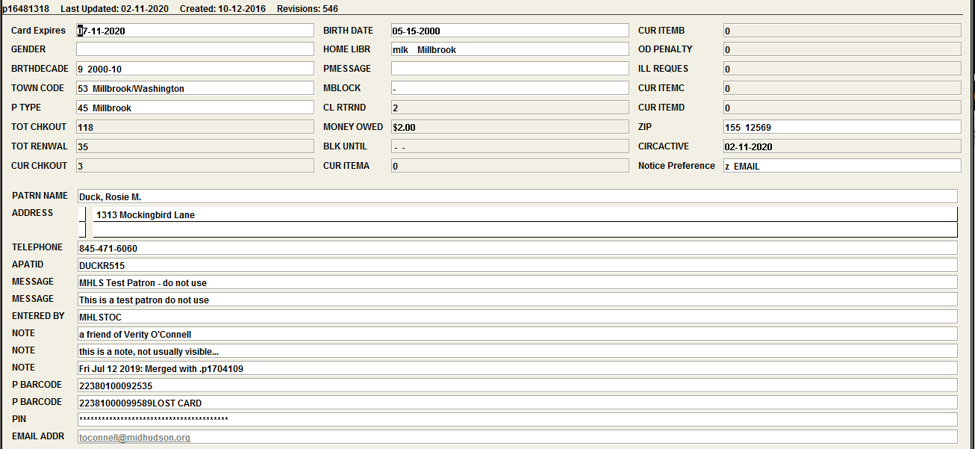
A patron record is a file in Sierra that contains the information necessary for the patron to use the library – both physical borrowing and digital access. Each library has patron record templates with some fields pre-filled and their choice of pop-ups.
To view a complete patron record
- Enter the Check Out (Circulation Desk) Function in Sierra. Make sure the “Key or scan patron barcode” bar is selected.
- Scan the patron’s library barcode (can be physical or digital), or key in the number (no spaces necessary), or search for the patron’s name in Last, First format preceded by an “n.” Example: nsmith adam.
- Click the View icon in the upper right, or go to Edit > Patron, or press CTRL+SHIFT+_.
- OR Click the Edit icon in the upper right, or go to Edit > Patron, or press CTRL+SHIFT+E.
- If you make an error editing a patron record, click the Close icon then choose not to save changes.
Brief display
The information at the top of the display is called the brief display. It can be changed under Admin > Options > Patron Display.
Brief display – shows telephone number but not address.
Brief display w/address – shows Address 1 but not telephone number.
Custom display – Choose the fields to show. The number of columns is not configurable – the Custom Display option always displays the specified fields in a single column. It can display about 5 fields without needing to scroll down.
All Patron Record Fields
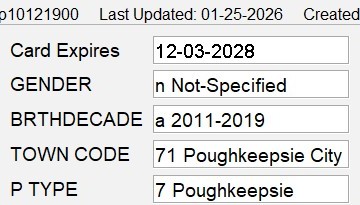
Card Expires: Expiration date of library card.
GENDER: Gender of patron.
BRTHDECADE: Decade range of birth year.
TOWN CODE: Town Code for town in which the patron lives.
P TYPE: Patron Type – Select the library that is chartered to serve that patron.
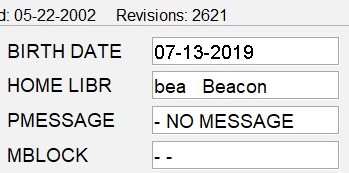
BIRTH DATE: Birth date of the patron (same as P TYPE).
HOME LIBR: Select the library that is chartered to serve the patron. This is the default pickup location for patron holds.
PMESSAGE: Patron message, includes On The Fly, Check Address, Check Phone #, & other predetermined messages.
MBLOCK: Manual Block – Can be Check Returned, Mail Returned, & other predetermined messages.
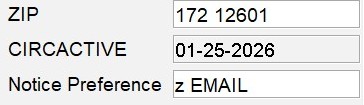
ZIP: Zip Code.
CIRCACTIVE: Last circulation transaction (check in, check out, hold placed or fine paid).
Notice Preference: Patron’s preferred method for notices. If set to “none” system defaults to email, then telephone, then print. Telephone is used for Teleforms libraries only.
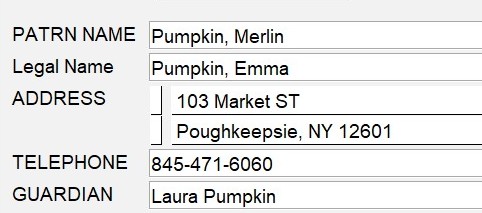
PATRON NAME: Name of the patron – Last Name Comma First Name.
ADDRESS: Home address of the patron (not PO Box).
TELEPHONE: Patron’s preferred phone number.
INTERNET: Approved for internet use? Yes or No.
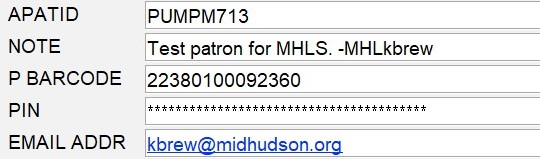
APATID: A Patron ID/User ID: a combination of the first 4 letters of the patron’s last name, first letter of the first name, month, and day of birth.
MESSAGE: Message appears as a pop-up when you enter the patron’s record.
ENTERED BY: Location and name of library personnel who created the record.
P BARCODE: Library barcode number of the patron.
PIN: Personal Identification Number. The number the patron uses to sign into SAM and their account in the OPAC.

TOT CHKOUT: Number of items the patron checked out (includes GEAC Stats).
TOT RENWAL: Total number of items the patron has renewed.
CUR CHKOUT: Number of items the patron currently has checked out.
CL RTRND: The number claimed returned.
MONEY OWED: Amount patron currently owes in fines and bills.
BLK UNIT: Not used.
CUR ITEMA: Not used.
CUR ITEMB: Not used.
OD PENALTY: Not used.
ILL REQUES: Not used.
CUR ITEMC: Not used.
CUR ITEM D: Not used.