
If you search the catalog and do not find any appropriate matches to attach your item to, then you will need to add a new brief bib record. (If you do find a matching bib record for your title, you will attach to the existing record – see Adding an Item Record.)
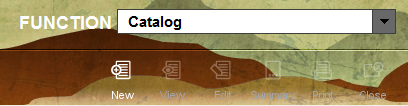
In the cataloging function, click on the “New” button to start the template prompts.
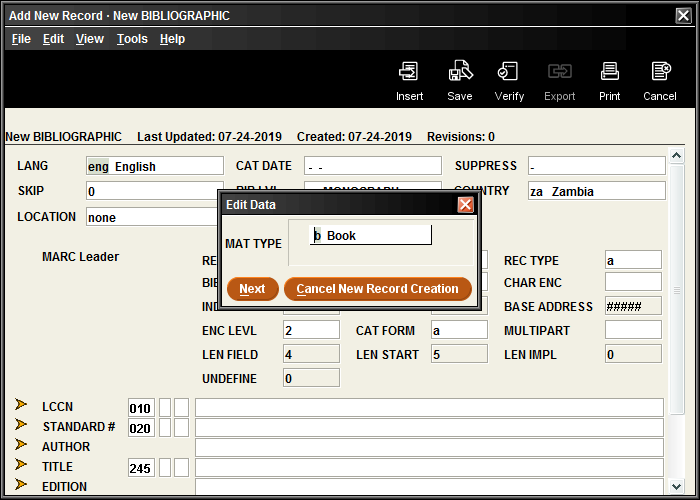
MAT TYPE: Select the most appropriate format for the item.
LANGUAGE: Enter the language of the material. If written in multiple languages, select “Multilingual”
STANDARD #: For books, include the 10 or 13-digit ISBN. Sierra will perform a validation check and display an error message if the ISBN doesn’t seem to be formatted properly. For magazines, enter the 8-digit ISSN number
For other media, include the UPC or other identifying number. These are not formatted the same as ISBNs and will always display the validation error. It is okay to ignore the error message if the number has been entered correctly.
AUTHOR: There should only be one name listed in this field. Include the name of the first person listed on the item. Enter as Lastname, Firstname. If a middle name or initial included on the book, include that as well. Please skip any titles or degrees that may be listed along with their name, such as Dr. or PhD.
TITLE: Transcribe this title from the title page of the book. Occasionally, there may be discrepancies between the title page and the book cover or spine title. In these instances, the title page is what you should use.
EDITION: Fill in the type of binding: Hardcover, Paperback, Board book, Library binding, Trade paperback, Mass market paperback
If there is additional info about the edition (special edition, revised, movie-tie-in edition, etc.) include that info in the same field, in addition to the type of binding.
PUBLISHER: Location : Publisher Name, Date
DESCRIPTION: For books, enter the number of pages. Audiovisual items will include the number of discs. Kits will list all included parts.
ADD AUTHOR : Used if more than one contributor was involved with the creation of the material. Include the name of illustrator or translator if applicable. Enter this field as Lastname, Firstname. There should only be one name in each field.
NOTE: Optional, if there is any additional information that you wish to include, please note it here.
Once you finish the last prompt, the item record prompts will begin. See Adding an Item Record.
You will not be able to make any further edits to a bib record after this point, but if you realize that you’ve made an error or you left anything out, please send an email to cataloging@midhudson.org with a message explaining what needs to be corrected.