
Only patrons should opt in!
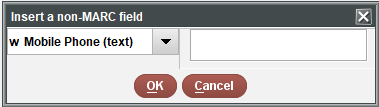
Staff should NEVER enter or edit a mobile number in the patron record using the new field “w Mobile Phone (text).” This field should be entered and edited only by the patron. Entering a number will not complete the process for the patron. They must opt in in their patron record through Encore.
Looking up status in Sierra and opting out
In Sierra, staff are able to assist the patron with “opting out” of text notices. You can also use this feature to check the status of participation in Text Messages. You will need the mobile number to look up the option.
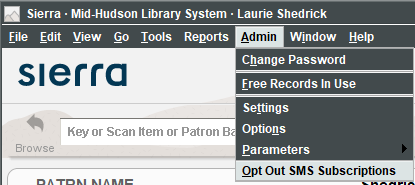
- Enter the mobile number. Any punctuation that you type will be ignored.
- The status will be displayed.
- “Opted in” numbers can be selected.
- Using the “Opt out” button removes that cell number from all accounts.
- Closing the window makes no changes to the status.
Note: Opting the number out removes it from all accounts. For example if a child account and a parent account are sending to the same mobile number, opting out removes the mobile number for ALL accounts. The same is true in any patron record.
What else should you know?
- The Hold Pickup text goes out to the patron immediately, as the item is placed on the holdshelf.
- A text is sent for each hold that arrives, and not just one for the whole day.
- Overdue texts are sent when the email and telephone notices are sent.
- Courtesy text messages are sent at the scheduled time for courtesy notices.
- Patrons will still be notified by email or telephone, depending on their setting.
- There is a little delay between putting something on the holdshelf and the text being sent. The patron may see it in their record before the text is received. Tests so far seem to be only by 15 minutes or less.
- The first two texts the patron receives are worded strangely, and unfortunately they cannot be changed (see below).
Once the patron selects “opt in,” provides a phone number, and submits the form, they will receive the following text message (which we cannot alter):
“Reply YES to subscribe to SMS Library Alerts(unlimited msgs). Terms and conditions: http://www.iii.com/sms. Text HELP4help, STOP2stop. Msg&Data rates may apply“
Once they reply “yes,” they get the following message (which we cannot alter):
“Congrats! U Subscribed to SMS Library Alerts. Unlimited monthly messages. Text HELP for help, STOP to stop. Msg&Data rates may apply“
Go live date: 10/1/2019